ColorPicker
Tells you the color!
ColorPicker helps you sample colors from a live camera preview or a photo, then turn that color into practical values for design, paint, code, and sharing.
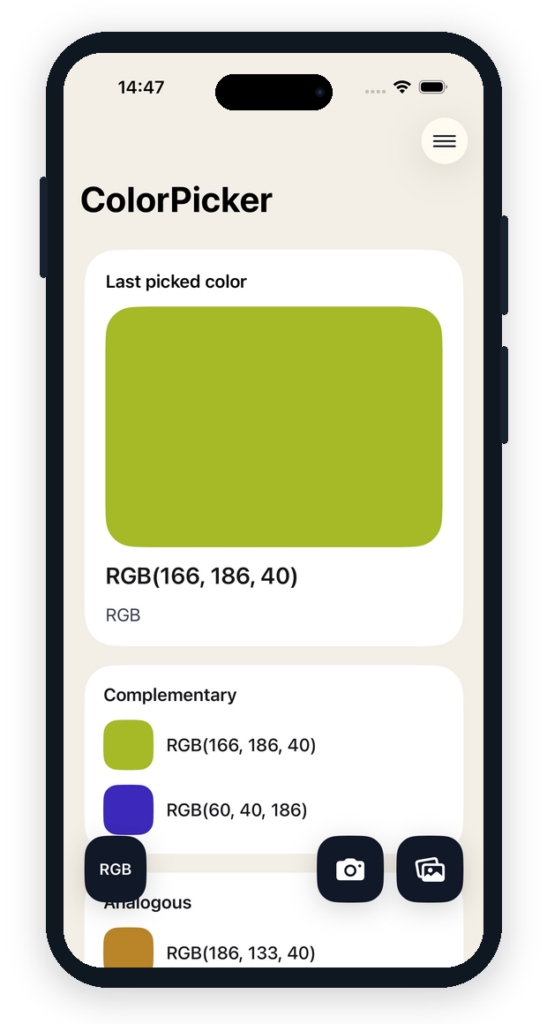
Camera or photo roll
Open the camera for live sampling, or choose an existing photo from your library. The center crosshair keeps the workflow simple: line it up, pick the color, and move on.
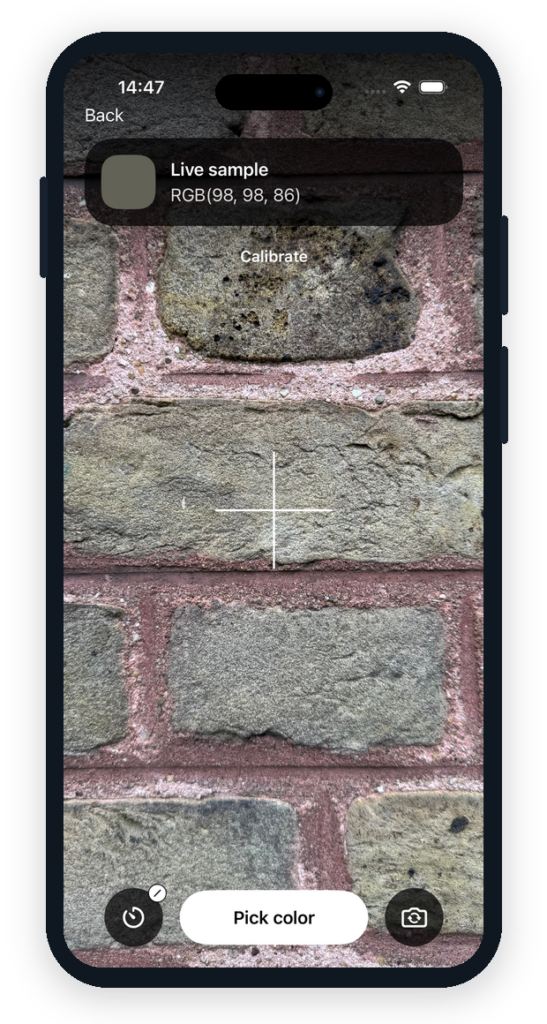
Calibrate under the same light
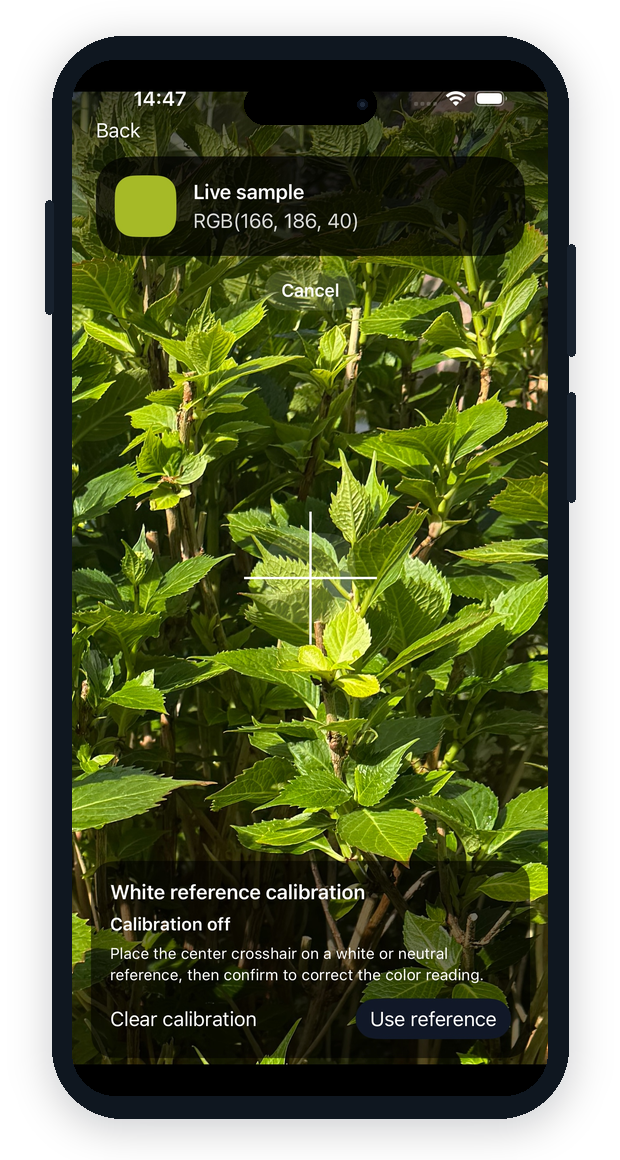
When lighting pushes a white or neutral reference warmer, cooler, or darker than expected, ColorPicker can use that reference to correct later camera and photo picks from the same scene.
Calibration keeps the original sample and the corrected color visible in results, so quick matching stays practical without pretending a phone camera is a lab colorimeter.
Formats that travel
Switch between RGB, RGB Hex, W3C, RAL, CMY, CMYK, HSV, LAB, LCH, and XYZ so the same color can move between design, development, and specification work.
Reference calibration
Set a white or neutral reference under the current light, then continue picking with a corrected reading while preserving the raw sample for context.
Harmony at a glance
After a color is picked, ColorPicker shows related colors such as complementary and analogous palettes so you can compare options without leaving the app.
Save and share
Name useful colors, load them later, copy a color link, or export a picked color by email when you need to hand it to someone else.
Built for quick, everyday color decisions.
- Sample a color from the live camera preview.
- Pick a color from an existing photo.
- Calibrate with a white or neutral reference under the same lighting.
- Compare generated harmony colors.
- Copy, save, load, and email useful color values.
- Available for iOS and Android.